Smart reservations
Pay & Reserve (fee deducted from the bill) or Free Reserve for up to 6 guests. 15-minute hold, one “Running late” tap, and a 6-month block for free-booking no-shows.
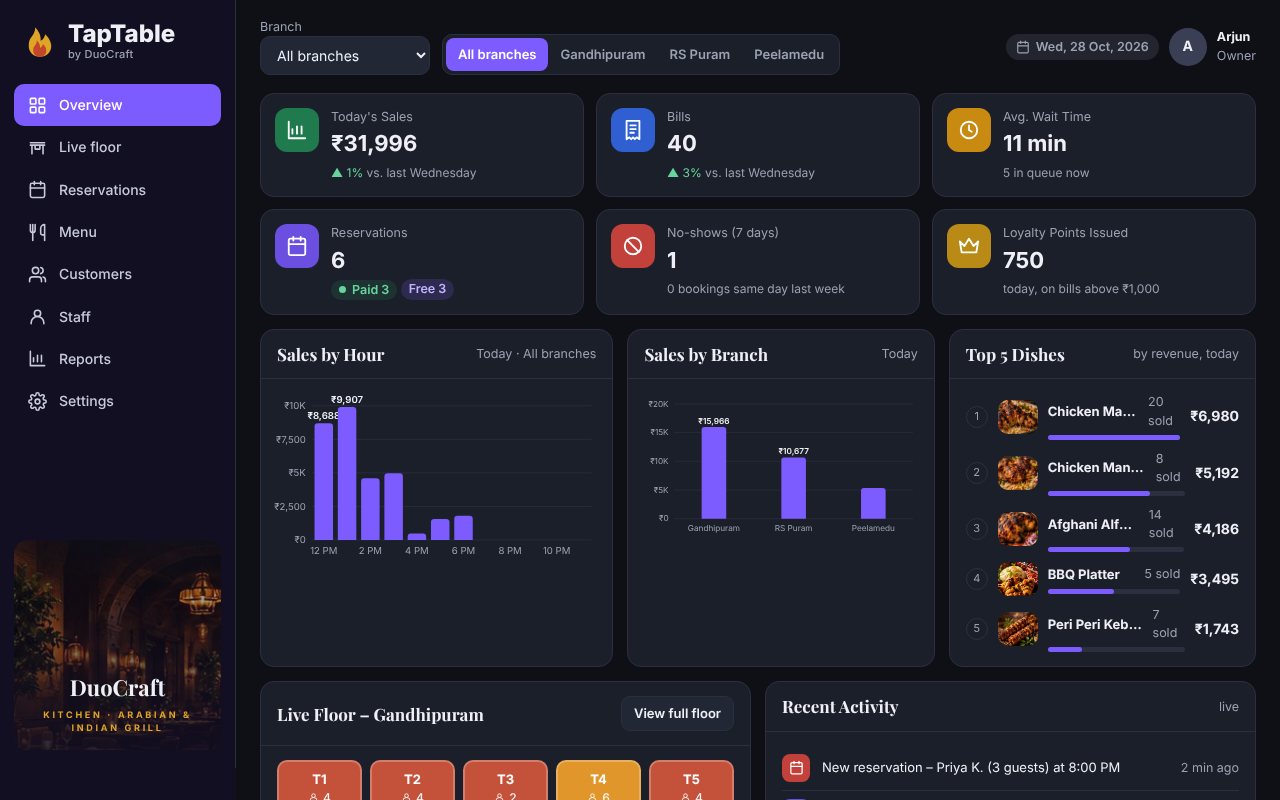
Paid and free table reservations, a live walk-in queue, QR menus, a kitchen display, instant billing with e-bills and loyalty points, all connected for every branch.
Built for busy dine-in restaurants with more than one branch.
Pay & Reserve (fee deducted from the bill) or Free Reserve for up to 6 guests. 15-minute hold, one “Running late” tap, and a 6-month block for free-booking no-shows.
Guests join from their phone, see their live position and wait time, and get an alert when the table is ready. Hosts get a suggested table for each group.
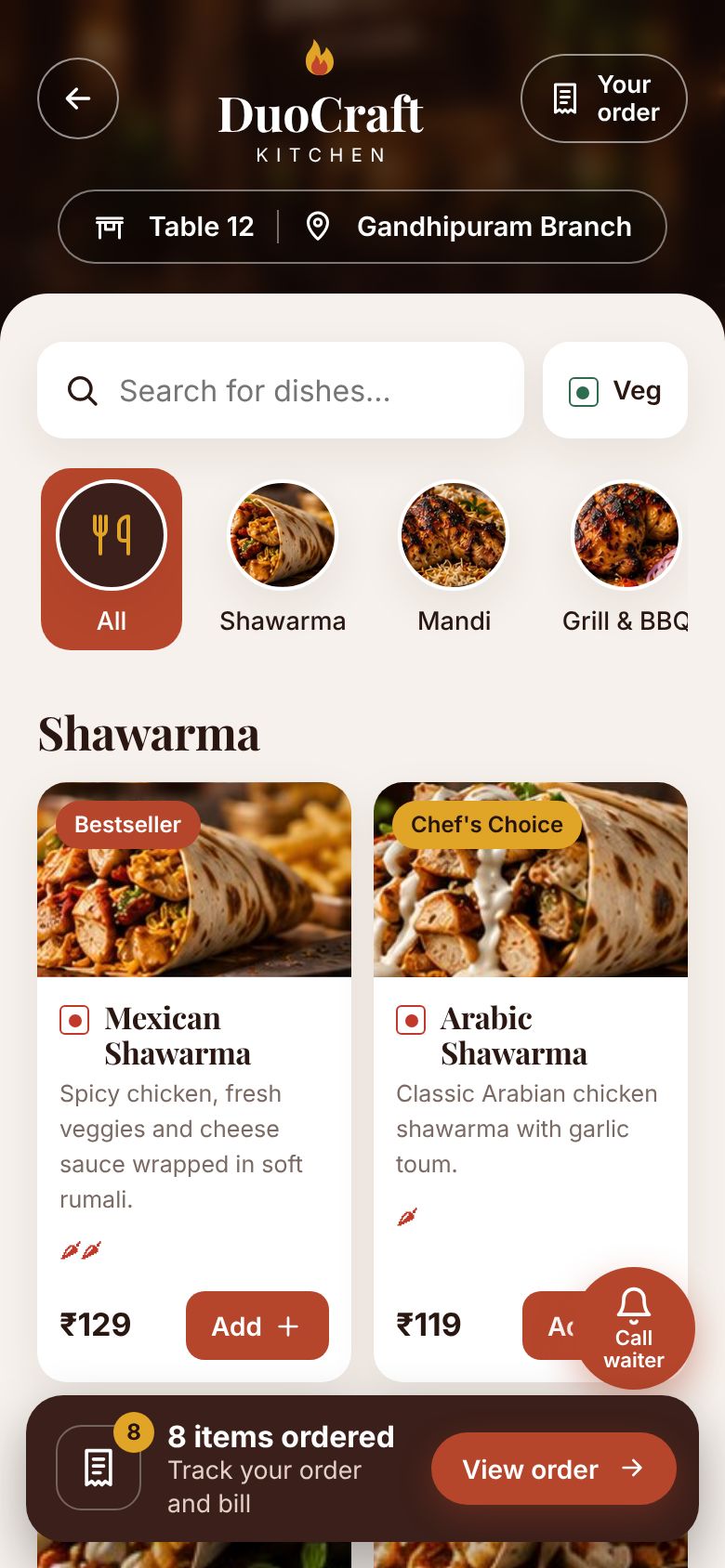
One QR per table. Each guest browses on their own phone and orders; the waiter confirms with one tap. No app download.
Orders land on the kitchen screen instantly: New, Preparing, Ready. Timers turn red after 15 minutes and chefs mark dishes out of stock.
Every order adds to the table's bill. Pay by cash, card or UPI at the counter. A GST e-bill lands in the customer's account.
1 point = ₹1, +50 points on bills above ₹1,000. Sales, bookings, no-shows, top dishes and live floors for every branch.
Live in weeks, not months.
We add your branches, tables, menu and photos, and print a QR for every table.
Reserve or queue online, scan the table QR and order from their own phone.
Host, waiter, kitchen and cashier screens stay in sync in real time.
Loyalty points, customer history and reports bring guests back.
A working demo for DuoCraft Kitchen, a sample Arabian & Indian grill with 3 branches in Coimbatore. Open the views in separate tabs: a booking or order made in one shows up in the others.
Branches with live wait times, reserve (paid or free), join the queue, OTP login, account, points and e-bills.
Open customer site → 🍽️Host floor map and queue, waiter ordering, kitchen display and cashier billing.
Open staff app → 📈Sales, bookings, no-shows, menu, customers with ban revoke, reports and booking rules.
Open owner dashboard →Demo data lives in your browser only. Use Reset demo any time to start fresh.
Everything you need to run your restaurant. No hidden charges.
Contact for pricing →No. Everything opens in the phone's browser from a link or the table QR. It can be added to the home screen like an app.
Reservation fees go through Razorpay into the restaurant's own account. Food bills are paid at the counter by cash, card or UPI, so there is no gateway fee on food sales.
Paid bookings keep the fee if the guest doesn't come. Free bookings are capped at 6 guests, and a no-show blocks free bookings on that number for 6 months and resets loyalty points. The owner can lift a ban for genuine cases.
Mobile number + OTP. The code goes on WhatsApp first, with SMS as an automatic backup.
Yes. It runs for a single outlet or many branches, with one loyalty account across all of them.